
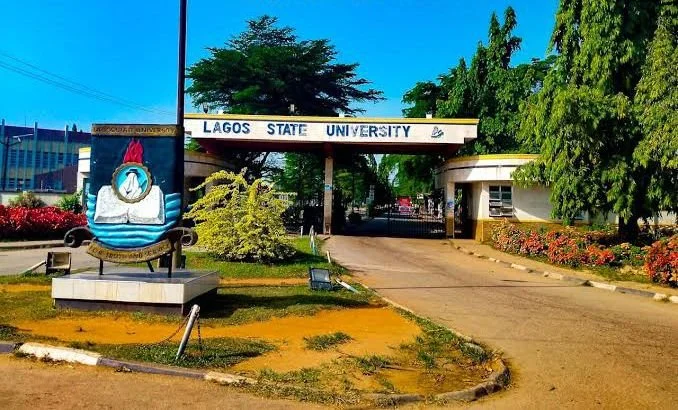
The LASU Central Admissions Clearance App (LACACA) at lacaca.lasu.edu.ng is the flagship digital screening platform operated by Lagos State University. Designed to eliminate manual, congested paper clearances, LACACA automates the verification of candidate credentials, O'Level authenticity, JAMB CAPS compliance, and bio-data integrity for fresh 100-Level and Direct Entry students. Completing LACACA clearance is the definitive prerequisite for matriculation, school fees generation, and course registration at LASU.
LASU Admission Clearance 2026/2027: LACACA Portal, Requirements and Guide — Quick Reference Summary
Academic Session: 2026/2027
Institution: Lagos State University (LASU), Ojo, Lagos
Official Portal URL: lacaca.lasu.edu.ng
Target Audience: Newly Admitted UTME and Direct Entry Candidates
Required Login Credentials: UTME / Direct Entry Registration Number & Surname
Key Clearance Output: Automated LACACA Clearance Certificate & Matriculation Number
Table of Contents 10 sectionsShowHide
- Understanding How the LACACA Automated Clearance System Works
- Step-by-Step Guide to Completing LACACA Clearance on the Portal
- Mandatory Document Checklist for LACACA Upload
- Resolving LACACA Rejections and Status Errors
- Post-Clearance: Matriculation Number and Tuition Fee Payment
- Troubleshooting Portal Login Errors and Administrative Support
- Important Academic Deadlines and Registration Protocol
- Conclusion
- Get Real-Time Admission & Screening Alerts
- Frequently Asked Questions (FAQs)
Understanding How the LACACA Automated Clearance System Works
LACACA operates on an intelligent verification pipeline that interfaces directly with examination bodies (WAEC, NECO, NABTEB) and the JAMB national repository. When you submit your documents, the system evaluates your dossier against four core pillars:
- JAMB CAPS Acceptance Verification: Confirms that you have accepted your LASU admission on CAPS and your admission letter is generated.
- O'Level Scratch Card / Pin Authentication: Directly accesses the WAEC/NECO digital servers using your provided verification pins to authenticate your grades.
- Identity and Bio-Data Consistency: Ensures that your names, date of birth, and state of origin across your O'Level, JAMB, and LASU application match perfectly.
- Indigeneship Verification (For Lagos Indigenes): Validates that candidates claiming Lagos State origin have cleared the mandatory Independent Indigeneship Verification Committee (IIVC) screening.
Step-by-Step Guide to Completing LACACA Clearance on the Portal
Follow these exact procedures to initiate and finalize your online clearance on the LACACA portal:
- Visit the dedicated LACACA portal at lacaca.lasu.edu.ng.
- Input your UTME / DE Registration Number and your Surname (in CAPITAL letters) as your access password.
- Upon successful login, complete your comprehensive contact information and update your passport photograph (JPEG format, maximum 20KB).
- Select your examination body (WAEC, NECO, or NABTEB) and enter your examination year, exam number, and active online scratch card / e-pin details.
- Upload clean, high-resolution scanned copies of all required documents in PDF format (file size must not exceed 100KB per document).
- Carefully preview every uploaded file to ensure legibility and accuracy.
- Click on the Submit Clearance Dossier button to send your file to the administrative verification queue.
- Monitor your dashboard daily to track your progress bar (20%, 40%, 80%, 100% Cleared).
Mandatory Document Checklist for LACACA Upload
Ensure you have digitized high-quality scans of the following documents before launching the LACACA portal:
- Original JAMB Admission Letter (colored printout).
- Original JAMB Result Slip with passport photograph visible.
- LASU Post-UTME / Screening Application Form and Result Slip.
- O'Level Certificate or Statement of Result (single or combined sittings).
- Birth Certificate or National Population Commission Age Declaration.
- Official Lagos State Indigene Verification Certificate (for Lagos State indigenes only).
- Letter of Undertaking / Good Conduct signed by parent or guardian.
Resolving LACACA Rejections and Status Errors
If your clearance is flagged or rejected during the administrative review phase, your dashboard will display a red alert specifying the exact defect. Common causes include:
- Name Discrepancy: Variations in name arrangement (e.g., middle name omitted on O'Level but present on JAMB). You must upload an official statutory affidavit of name correction.
- Exhausted Scratch Card Pin: If your WAEC or NECO pin has exceeded its maximum 5-time usage limit on the examination body's server, purchase a fresh scratch card and re-enter the pin.
- Blurry or Illegible Scans: Re-scan the affected document at 300 DPI resolution, ensure it is within 100KB, and use the Re-upload Document button.
- Pending IIVC Clearance: Lagos State indigenes with unverified claims must visit the IIVC secretariat at LASU Ojo Campus to finalize physical clearance.
Post-Clearance: Matriculation Number and Tuition Fee Payment
Once your clearance progress bar hits 100% Cleared, the LACACA system will automatically issue your permanent LASU Matriculation Number. Print three copies of your official LACACA Clearance Certificate.
Proceed immediately to the LASU e-payment portal (lasu.edu.ng/epayment) to pay your non-contingent school fees, print your official university bursary receipt, and complete your semester course registration within the stipulated departmental deadline.
Troubleshooting Portal Login Errors and Administrative Support
Prospective students occasionally encounter portal access obstacles during high-traffic admission clearance windows. Below are verified solutions to common technical issues:
- 'Invalid Credentials' Error: Double-check that your JAMB Registration Number has no leading or trailing whitespace. If logging in with your surname, ensure correct case sensitivity as recorded on your screening slip.
- Password Reset Protocol: Use the Forgot Password link on the login dashboard. Enter your registered email to receive an automated password reset token. If you do not receive the email within 15 minutes, check your Spam/Junk folder.
- Payment Invoice Verification Delays: When paying via Remita or interswitch, network timeouts may delay immediate status updating. Click on the Re-query / Confirm Payment button on your student dashboard and enter your 12-digit RRR number to synchronize records instantly.
- Browser Compatibility: Access the portal using updated versions of Google Chrome, Mozilla Firefox, or Microsoft Edge. Always enable cookies and pop-up windows to allow PDF admission slips to render properly.
- Administrative Support Desk: For unresolved account lockouts, name corrections, or payment reconciliation, contact the Admissions Directorate or visit the University ICT Centre during official working hours (8:00 AM – 4:00 PM, Monday to Friday).
Important Academic Deadlines and Registration Protocol
Admitted candidates must strictly adhere to the published institutional academic calendar to prevent forfeiture of provisional offers:
- Acceptance Fee Deadline: Typically 2 to 3 weeks from the date of admission list publication. Failure to generate an invoice and complete payment forfeits your admission slot to supplementary candidates.
- JAMB CAPS Confirmation Window: Offers must be accepted within 72 hours of appearance on the CAPS dashboard to prevent automated system expiration.
- Faculty Dossier Submission: Submit your completed physical file jackets to your Faculty Officer before the close of the central screening window.
- Course Registration Deadline: Complete online semester course registration within two weeks of tuition payment to ensure your name appears on official examination attendance rosters.
- Orientation & Matriculation: Participation in the orientation week and formal matriculation ceremony is compulsory for all fresh undergraduate students.
Conclusion
Successfully securing admission and completing clearance for the 2026/2027 academic session requires prompt action, careful document preparation, and strict adherence to official institutional and JAMB deadlines. Monitor both your student portal and your central JAMB CAPS profile regularly, complete your fee payments and online screening within the allotted windows, and ensure all uploaded credentials match your identity records accurately.
Stay proactive throughout the screening season, keep physical and digital duplicates of all payment receipts and clearance forms, and prepare thoroughly for an enriching academic journey ahead.
Get Real-Time Admission & Screening Alerts
Join over 65,000 Nigerian students receiving verified departmental cut-off drops, JAMB CAPS batch announcements, and post-UTME screening notices directly on WhatsApp.
Join SchoolGateHub WhatsApp Channel
Frequently Asked Questions
Quick answers to common questions about this guide
1What does LACACA stand for in LASU?
LACACA stands for LASU Central Admissions Clearance App, the official automated portal for newly admitted students' online screening and credential verification.
2How long does it take for LACACA clearance to be approved?
LACACA clearance typically takes between 48 hours to 7 business days, depending on document clarity, scratch card validity, and administrative verification queues.
3What is the maximum file size for document uploads on LACACA?
All document uploads must be in PDF format and strictly between 20KB and 100KB in size. Passport photos must be in JPEG format under 20KB.
4Can I do LACACA clearance if I haven't accepted admission on JAMB CAPS?
No. The LACACA algorithm requires active JAMB CAPS admission acceptance before granting full clearance status.
5What happens after getting 100% on LACACA?
Upon reaching 100% clearance, your official LASU Matriculation Number is generated, enabling you to pay tuition fees and register for your semester courses.
Join Our Educational Updates Community
Get instant real-time alerts on scholarships, state bursaries, admission lists, and student opportunities.